Schedule In-Home Flooring Measure - UX Redesign
The home depot | Mobile & WEB UX/UI Design
MY ROLE: Improved the scheduling user experience for Home Depot customers planning flooring installations by simplifying a complex booking flow across mobile and web.
TOOLS USED: SKETCH, ZEPLIN, CONFLUENCE, PIVOTAL TRACKER, JIRA, USERTESTING.COM

PROJECT IMPACT
+22% increase in completed measure bookings
99.8% positive user testing feedback validating the new experience
Simplified a complex multi-step service booking experience
Designed end-to-end UX across research, wireframes, UI, testing, and delivery
OVERVIEW
Schedule In-Home Measure is a service provided by the Home Depot to customers who are interested in getting a quote for materials and installation for their flooring project. The flooring professional comes out to customers' homes, creates floor measurements and then provides quotes for different floor types the customer is interested in installing. Once a customer has their floor measurements complete, they can clearly understand how much of a certain product they need to purchase and what it will cost.
THE PROBLEM
Customers wanting flooring installation needed to schedule an in-home measurement appointment, but the booking experience created friction.
Key issues:
Confusing long form
Lack of clarity around scheduling options
High drop-off during appointment booking
Poor mobile usability
This created a conversion bottleneck in a high-value purchase journey.
PRODUCT OPPORTUNITY
Improving the scheduling experience could:
Increase appointment bookings
Reduce customer frustration
Drive more flooring installation sales
Improve trust in Home Depot’s services
The design goal was to create a clear, guided scheduling experience that removes friction and increases completion rates.
RESEARCH & INSIGHTS
KEY USER INSIGHTS
Research uncovered several patterns:
Customers were unsure what happens during a flooring measure
The booking flow felt long and overwhelming
Mobile users struggled with form interactions
Customers wanted reassurance before committing to an appointment

According to user testing, current experience of scheduling a measure is confusing and complicated.

Research of the email flows
Flowchart Diagram
I’ve worked closely with the Product Manager and Engineers to design a flowchart diagram that clearly showed a step-by-step process of the user experience. The flowchart helped everyone to see a snapshot all of the steps customers must go through to schedule an in-home flooring measure.

DESIGN STRATEGY
To address these challenges, the design focused on:
1. Simplifying the flow
Break the long form into smaller steps.
2. Providing clear guidance
Explain what happens during the appointment.
3. Reducing cognitive load
Show only the information needed at each step.
4. Optimizing for mobile first
Ensure scheduling works smoothly on small screens.
THE SOLUTION
IMPROVED STEP-BY-STEP BOOKING FLOW
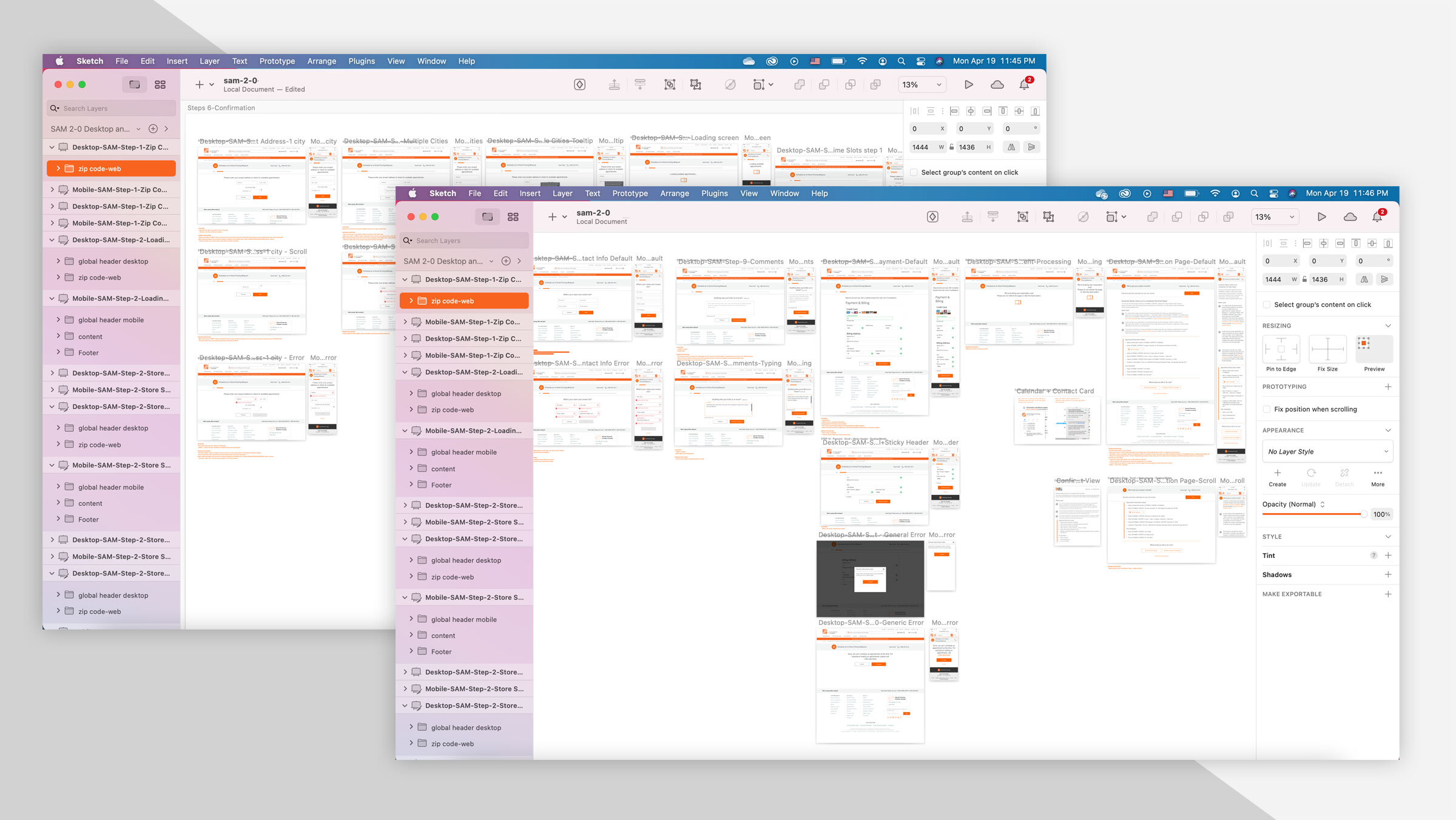
At this stage of the project, using design style guide, user interface components and interactions, I’ve designed a high fidelity mockups for the new and improved version of the Schedule In-Home Measure tool. During this stage I have also worked closely with a Copywriter, who has helped create meaningful and descriptive content throughout the tool.

MOBILE-FIRST FORM DESIGN
VALIDATION
USABILITY TESTING
Testing confirmed:
The new flow was easier to complete
Participants understood the scheduling process
The booking experience felt faster and clearer
99.8% of users successfully completed the flow in testing.
RESULTS
After launching the redesigned experience:
📈 22% increase in completed measure bookings
Additional outcomes:
Reduced user confusion
Improved mobile usability
Strong positive user feedback

Final redesigned user experience and user interface for the Schedule In-Home Measure tool.